

Personal and Organisation
Two Contexts
Section titled “Two Contexts”The portal shows one of two things at a time.
Personal is your own account: your profile, your entitlements, your data.
Organisation is a company you belong to: its members, its groups, its settings and its licence.
They are separate on purpose. An allowance your employer pays for is not the same as an allowance you hold yourself, and a page that mixed them would not be able to answer either question.
Telling Them Apart
Section titled “Telling Them Apart”Look at the top of the sidebar.
In personal context it reads Personal, with Your account underneath.
In organisation context it reads the organisation’s name, with Business portal underneath.
The menu underneath changes with it, so the entries you see are always the ones that belong to the context named above them.
Switching
Section titled “Switching”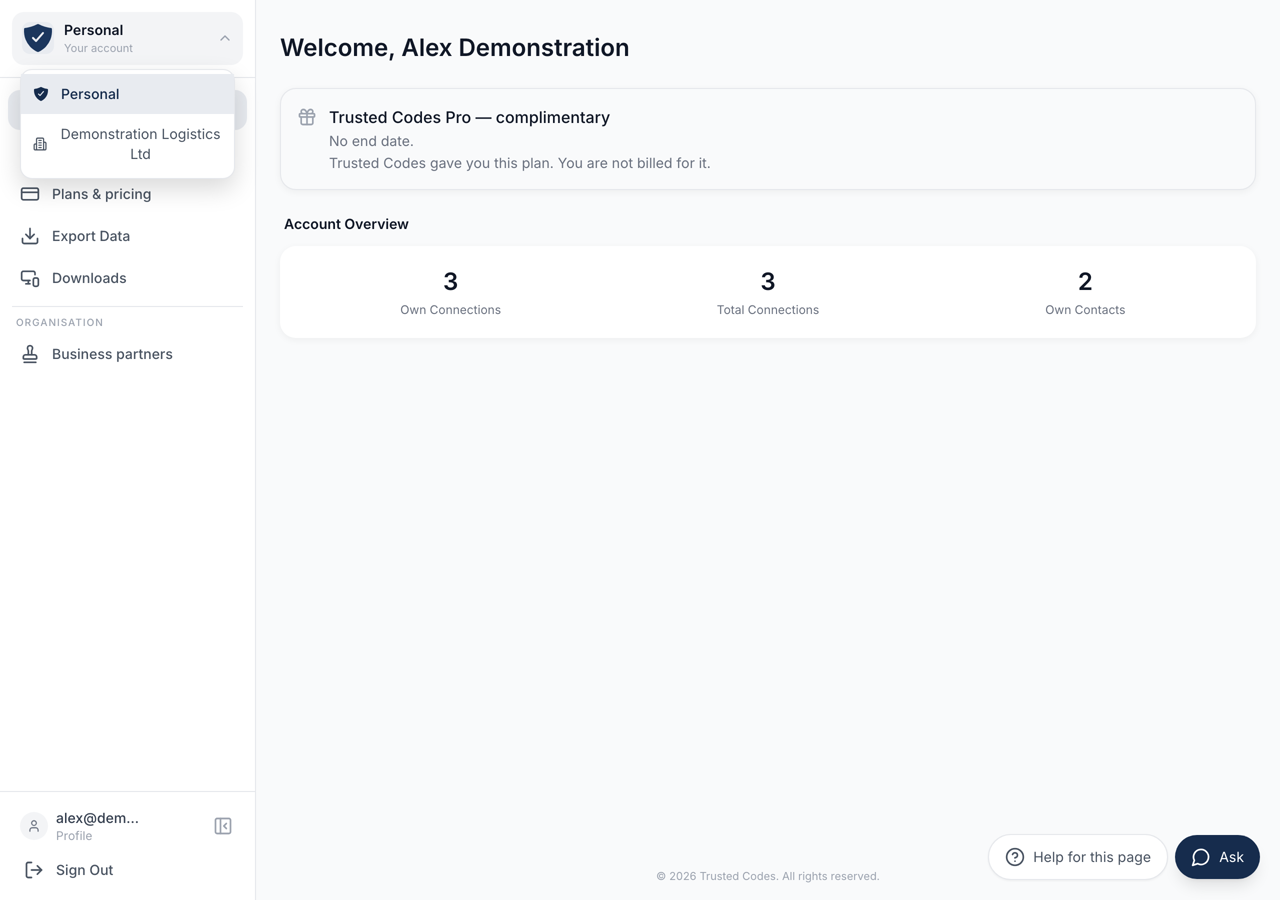 12
12- 1The context you are in. **Personal** is your own account.
- 2Everything you can switch to. The menu underneath changes with your choice.
Press the name at the top of the sidebar. A short list drops down with Personal and the organisations you belong to. Choose one.
If you belong to several organisations, each is its own row, and the one you are in is highlighted. An organisation holding demonstration rather than real data sorts to the bottom of that list.
If There Is No Switcher
Section titled “If There Is No Switcher”An account that belongs to no organisation has nothing to switch to, so the top of the sidebar shows the Trusted Codes logo instead of a control. This is the normal state for a personal account.
The switcher appears by itself the first time you are made a member of one.
What Stays With You
Section titled “What Stays With You”Your account pages do not move when you switch. The organisation context carries its own Home, Entitlements and Downloads entries, and the identity row at the foot of the sidebar still opens your profile, so that you never lose your way back to them.
Usage and Limits in particular stays where it is in both contexts. Every account has entitlements, including one that has never belonged to an organisation. When some of them come from an organisation, that page says so and names it.
What You Are Offered
Section titled “What You Are Offered”The organisation menu is not the same for everybody in it. Each entry is offered according to the rights your role holds there and what that organisation includes.
A member with no administrative rights sees the pages that describe their own place in the organisation. A member who can manage people, groups or billing sees the pages that do those things. An entry you do not hold the rights for is absent rather than shown and refused.