

Integrations
Who Sees It
Section titled “Who Sees It”Integrations is offered to a member whose role may manage roles and the organisation’s settings. The same permission carries Notifications and Settings.
Where It Is
Section titled “Where It Is”Under Account in the menu. The older API keys and Webhooks addresses still resolve and open this page, because all three subjects now live on it.
What It Is For
Section titled “What It Is For”The page states it in one line: how another system talks to this organisation.
There are two directions, and the tabs separate them. A key is outbound: the other system calls us with it. A webhook is inbound: we call the other system. They are set up together and they are debugged together, which is why they share a page.
API Keys
Section titled “API Keys”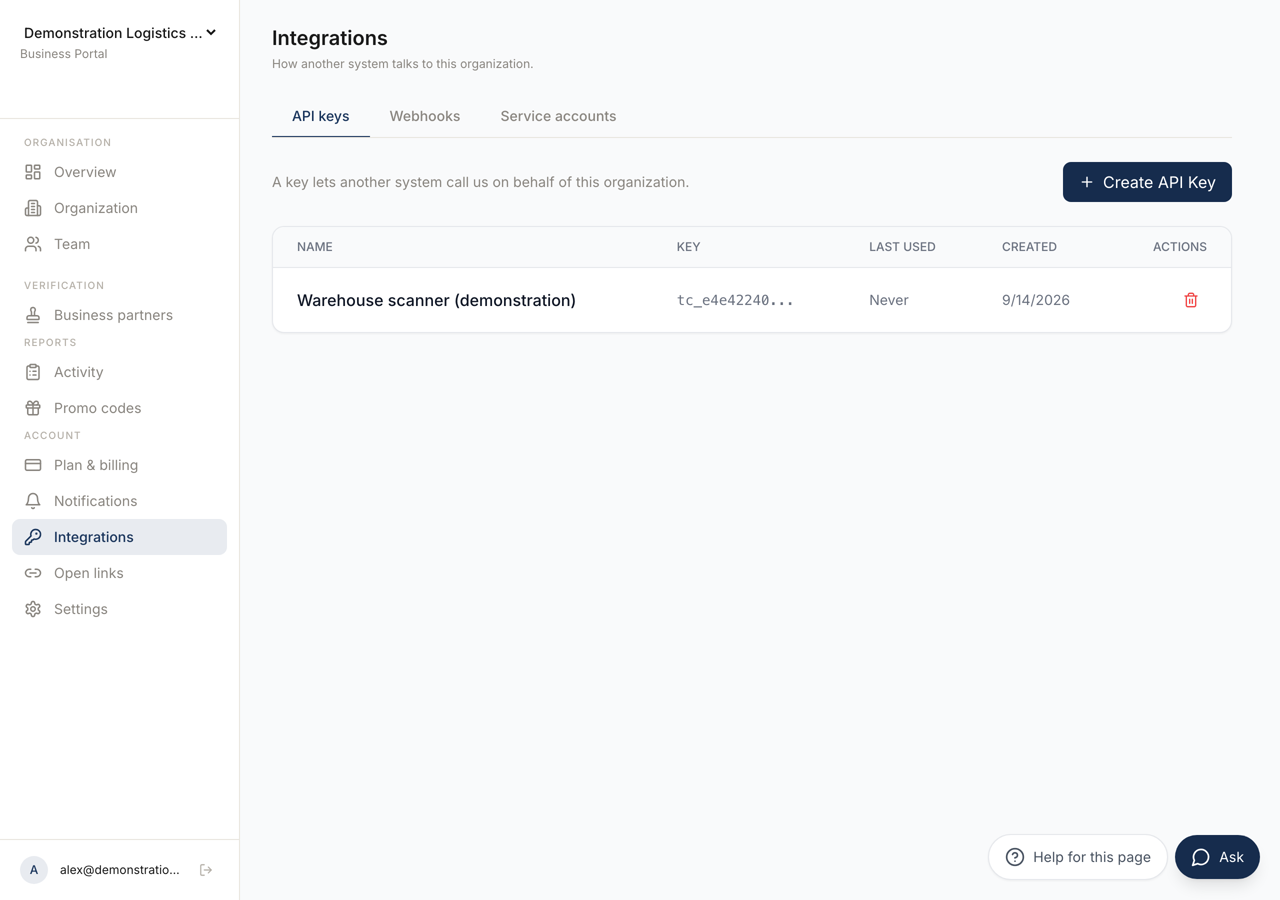 123
123- 1A key lets another system call us. A webhook lets us call another system. A service account is a machine member.
- 2Issues a key. It is shown once and cannot be read back afterwards.
- 3Each key, and when it was last used — which is what tells you whether it is still needed.
Create API Key asks for a name and issues the key.
The key is shown once, and the panel says so: copy this key now, you will not be able to see it again. There is no way to read it back afterwards. If you lose it, revoke it and make another.
The table lists each key with Name, Key, Last Used and Created. Last Used is what tells you whether a key is still needed.
A key issued here carries authority over the webhooks as well as over customers and verification. One key, not one per tab. Treat it accordingly, and give each system its own key so that revoking one does not stop the rest.
Webhooks
Section titled “Webhooks”A webhook lets us call another system when something happens, such as a customer being activated, suspended or revoked.
Add webhook asks for an Endpoint URL and the Events you want. On creation a signing secret is shown, once, with the same warning as a key. That secret is what your server uses to confirm the call really came from us.
Each webhook shows its last success, how many failures it has had, and whether it is Active, Paused or Disabled.
Send a test payload calls your endpoint now and reports what came back, as the status code. Use it when the endpoint has changed, before waiting for a real event to tell you.
Service Accounts
Section titled “Service Accounts”A service account is a machine member of this organisation. It runs the desktop client on a server and verifies codes without a person. It has no mailbox and does not appear to the other members of a connection.
Creating one asks for a name and returns its identity code secret. Shown once, like everything else here.
Each service account shows how many connections it holds, and carries its own list of API keys, with New key and Revoke.
The reason to use one rather than a colleague’s account: automated verification that runs on a server should not stop working when a person leaves, and should not be visible to the people on the other side of a connection.
Revoking
Section titled “Revoking”Every key, webhook and service account can be removed here. Revoking a key stops the system using it immediately, so confirm what holds it before you do.