

Notification Templates
Who Sees It
Section titled “Who Sees It”Notifications is offered to a member whose role may manage roles and the organisation’s settings. The same permission carries Integrations and Settings.
It needs an organisation. The wording being edited belongs to the organisation, so a personal account has none to edit.
Where It Is
Section titled “Where It Is”Under Account in the menu.
What It Is For
Section titled “What It Is For”The system records many kinds of event, and most of them can send a notification. Each one has its own wording per channel and per language, and your organisation can replace that wording with its own.
Two separate decisions live here. Whether a notification is sent on a channel at all, and what it says when it is.
The Grid
Section titled “The Grid”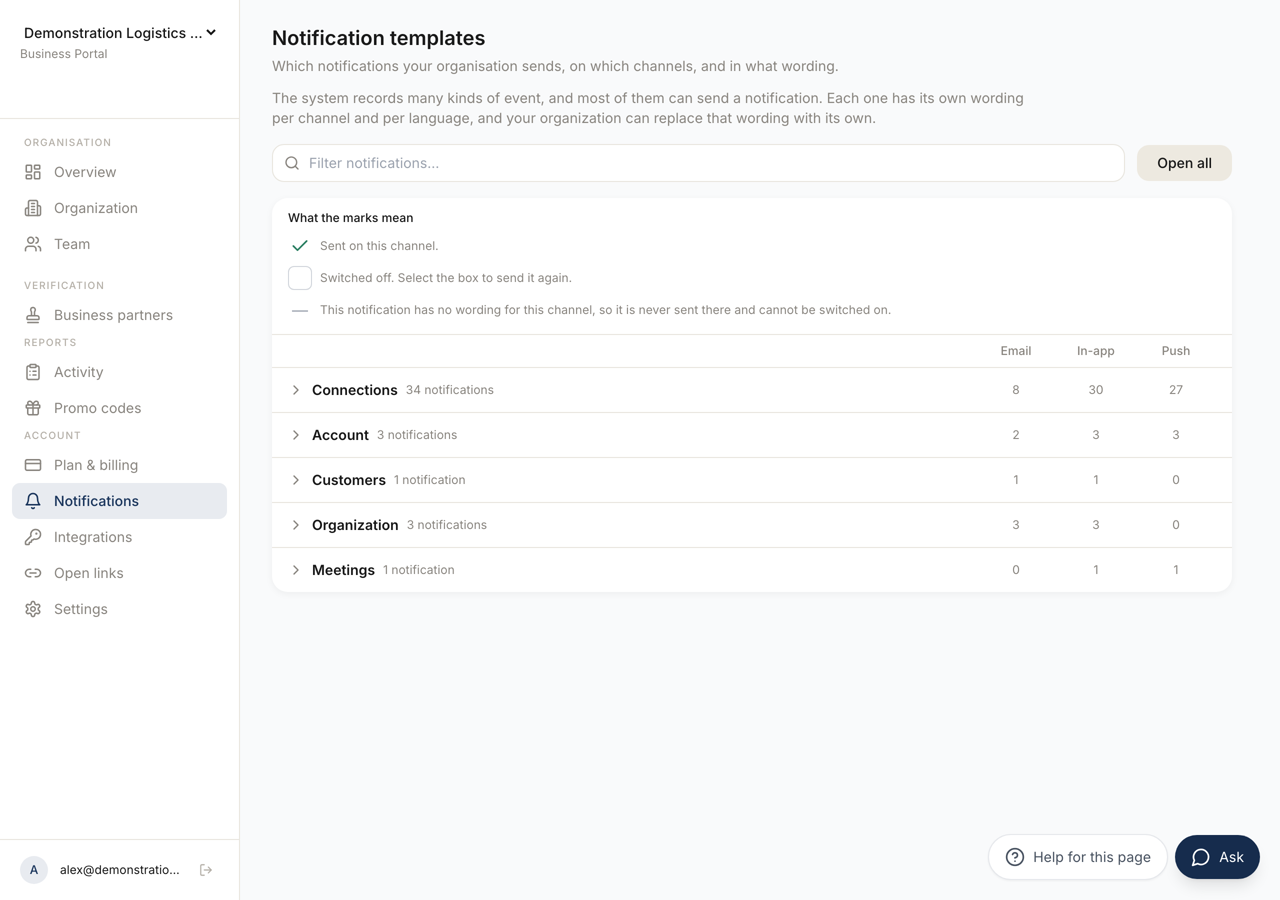 123
123- 1The three states of a cell. The third is the absence of a setting, not a setting.
- 2One column per channel. A notification can be sent on one and not on another.
- 3Notifications grouped by subject, with how many of each group go out on each channel.
One row per notification, one column per channel: Email, In-app and Push.
Rows are grouped by subject, as Connections, Account, Customers, Organization, Meetings and Other. Open all and Close all expand and collapse them, and the filter box narrows the list.
A cell has three states, and the legend What the marks mean spells them out. Sent on this channel. Switched off, which you can reverse by selecting the box. Or unavailable, which means the notification has no wording for that channel, so it is never sent there and cannot be switched on.
The third state is not a setting. It is the absence of one.
A notification whose wording you have replaced is marked Your wording.
Editing the Wording
Section titled “Editing the Wording”Edit the wording opens the editor for one notification on one channel.
An email has a Subject and a Body. An in-app or push notification has a Title and a Body.
Above the fields a banner says what you are looking at: your organisation’s own wording, or the default wording, which you make your own by editing and saving. Where a channel has no wording at all it says so, and asks you to try another channel.
Available variables lists what this notification can fill in. Preview renders it. Naming a variable this notification does not offer is not an error and is not silently fine either: the editor warns that it is not offered here and will render empty.
Bodies are limited to ten kilobytes.
Save wording stores it.
Restoring the Default
Section titled “Restoring the Default”Restore the default wording removes what your organisation has set, and the confirmation states the scope exactly: every wording your organisation has set for this notification is removed, in all languages, and the platform default applies again.
Read the phrase “in all languages”. Editing the English and restoring it takes the German, French, Spanish, Italian and Dutch with it.
Before You Switch One Off
Section titled “Before You Switch One Off”A notification is usually the only thing telling somebody that an invitation arrived, that a connection is ready, or that ownership moved. Switching it off does not stop the event. It stops the person hearing about it.