

Open Links
Who Sees It
Section titled “Who Sees It”Open links is offered to a member whose role may manage open links. That is its own permission, held separately from managing people or settings, so a role can carry it without carrying the rest of the console.
A role without it does not see the entry, and opening the address directly is refused.
Where It Is
Section titled “Where It Is”Under Account in the menu.
What an Open Link Is
Section titled “What an Open Link Is”An intake link for the organisation. You create it, you share it, and anybody who opens it can ask to connect with you.
The page names the cases: a booth link for an event, a website link, a recruiting link. Each one is separate, so you can tell where a connection came from and stop one without stopping the others.
The alternative is inviting each person individually. A link is what you use when you do not know in advance who will come.
How Many You May Have
Section titled “How Many You May Have”Five, on every Business band. An Enterprise agreement has no ceiling. Reaching it is not the end of anything — delete one you no longer use and the allowance is back.
Creating One
Section titled “Creating One”New link asks for the Name in the address, which is the last part of the link people open. Three to thirty characters, lowercase letters, numbers and hyphens only.
Choose something that will still make sense later. acme-booth tells you where
a connection came from a year afterwards, and a random string does not.
Connection requests sets the policy, and there are two.
Approve automatically makes the connection the moment somebody uses the link. Right for a link you control the distribution of, such as a QR code on a stand.
Ask a person to approve puts every request in a queue for you. Right for a link on a public web page, where you do not know who will find it.
What It Shows
Section titled “What It Shows”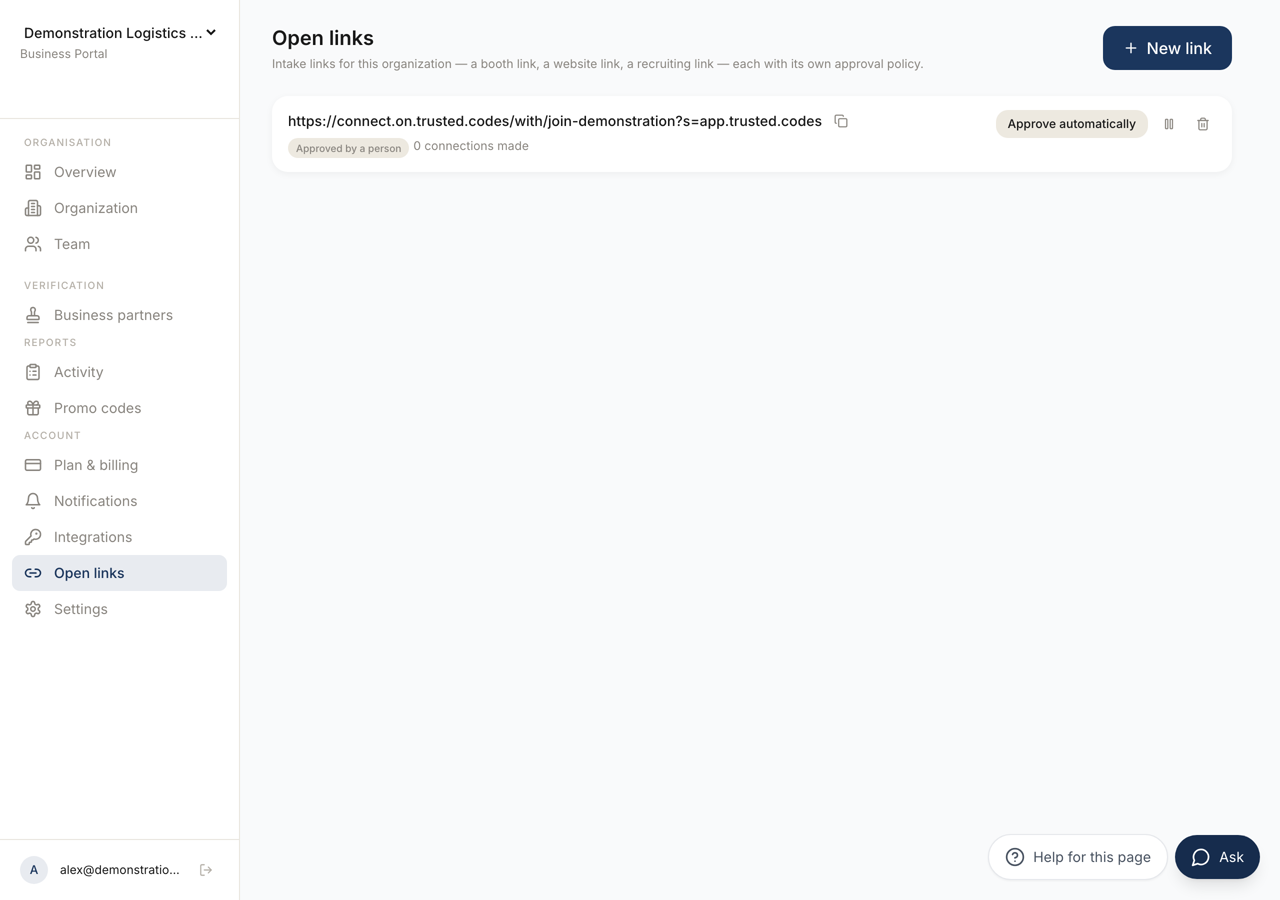 123
123- 1Creates a link. Choose a name that will still tell you where a connection came from.
- 2The address people open. **Copy the link** takes it.
- 3Whether requests are approved automatically or wait for a person, and how many connections the link has made.
Each link shows its address with Copy the link, its policy as either Approved automatically or Approved by a person, whether it is Paused, and how many connections have been made through it.
With nothing created the page says No open links yet.
The Approval Queue
Section titled “The Approval Queue”A link set to ask for approval collects requests under Waiting for approval, with the count and when each was asked.
Approve makes the connection. Decline refuses it. Nothing happens to a request until you choose.
Pausing and Changing
Section titled “Pausing and Changing”Pause stops the link accepting anything, and Resume starts it again. The link keeps its address and its history, so this is what to use when an event ends and may run again.
The policy can be changed at any time with Ask for approval and Approve automatically. Switching to approval does not undo connections already made automatically.
Deleting
Section titled “Deleting”Deleting asks you to confirm, and the confirmation says it cannot be undone.
If your concern is that a link has spread further than intended, pause it first. That stops new requests at once and leaves you the address and the record of what came through it.