

Invitations
Where Invitations Live
Section titled “Where Invitations Live”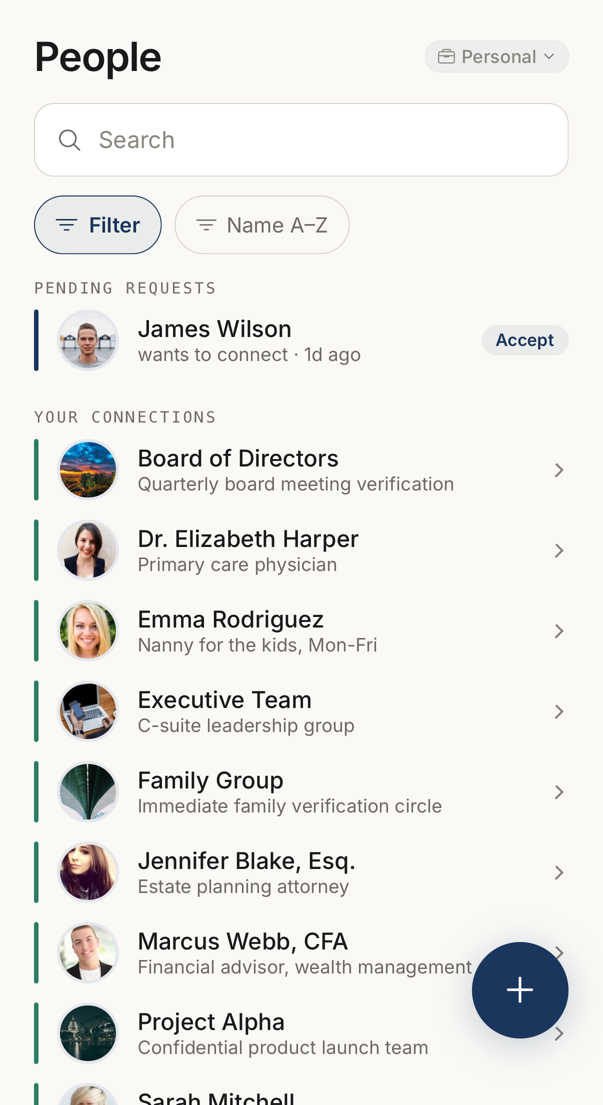 12
12- 1An invitation waiting for you, with how long ago it arrived. Accept answers it in the row.
- 2Once accepted, the connection joins this list.
There is no separate invitations screen. Invitations sit where the people are, in the People tab.
Pending Requests holds the invitations other people sent to you, together with anyone who reached you through your personal page or a share link. Each row says how long ago the invitation arrived, and you can approve or decline it in the row.
An invitation you sent sits in Your Connections, marked as waiting. Once the other person accepts, that row becomes an ordinary connection. The People tab carries a badge while something is waiting for you.
Answering an Invitation
Section titled “Answering an Invitation”Open the invitation for its details before you accept.
You see the sender’s trust score, how long the account has existed, the size of their network and any risk indicators. Read this when you do not know the sender.
Accepting connects you, and both sides begin to see each other’s codewords. Declining tells the sender that you declined, and not why.
Inviting Someone
Section titled “Inviting Someone”Tap + on the People tab, then A Contact. That opens the invite screen, which has a switch called Add to my network. It starts on: a connection is created and you will share codewords. Turn it off and you are only inviting the person to Trusted Codes.
Home → Connect is a different thing. It offers a QR code for somebody standing in front of you, and a share link for everyone else.
When you are at your connection limit, only an invitation without a connection is possible.
Withdrawing and Re-inviting
Section titled “Withdrawing and Re-inviting”You can withdraw a pending invitation from its row in the People tab, as long as the other person has not accepted it yet.
An expired invitation can be re-sent or dismissed from the same place.
Offline
Section titled “Offline”The device caches invitations, so you can read them with no network.
Accepting, declining and withdrawing need a network. Changes made by the other side arrive on their own, and the list updates without a refresh.