

Plans and Prices
What It Shows
Section titled “What It Shows”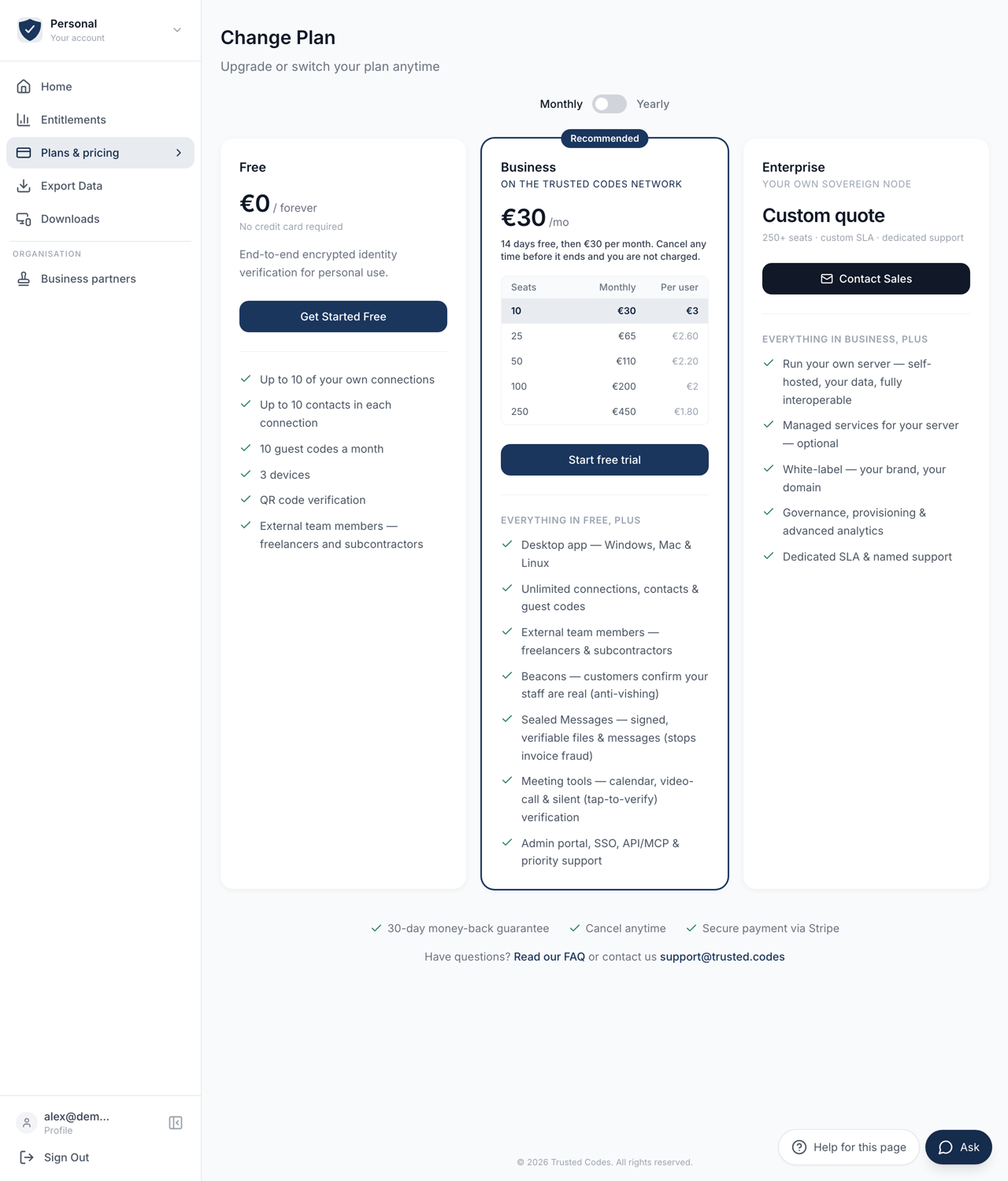 123
123- 1Monthly or yearly. Only the Business price changes with it.
- 2Business is sold in five bands. A band is one record, so the seats and the amount charged cannot disagree.
- 3Enterprise is priced individually, and this opens an email to sales.
Three cards: Free, Business and Enterprise. The card for the plan you are on carries a Current Plan badge.
Anyone can read this page, signed in or not. The prices come from the same records the payment provider is configured from, so the figure here is the figure you are charged.
Monthly and Yearly
Section titled “Monthly and Yearly”A switch above the cards moves between Monthly and Yearly, and the yearly side is marked 2 months free. Only the Business price changes with it.
€0, no card, no expiry. The card lists what it includes.
If you are already on Free the card has a badge and no button. Free is the floor; there is nothing below it to move to.
Choosing Free while signed in shows a short confirmation of what it gives you, with Go to my account and Compare the plans again.
Business
Section titled “Business”Business is sold in five seat bands: 10, 25, 50, 100 and 250 seats. You pick a band from the table, which shows the seats, the price and the price per seat.
There is no seat slider. A band is one record, so the seat allowance and the amount charged cannot disagree.
Pressing the button opens the payment provider’s own checkout page. The billing address and any VAT number are collected there.
Already on Business
Section titled “Already on Business”If your account already holds a Business band, the button becomes Change Plan and takes you to the licence page of the organisation console instead.
That is deliberate. Checkout creates a subscription; it does not move one. Buying a second band here would leave you paying for both. The licence page changes the band on the subscription you already have and shows what it will cost before you confirm.
Enterprise
Section titled “Enterprise”Priced individually. The card shows Custom quote and Contact Sales, which opens an email to sales@trusted.codes.
Not Signed In
Section titled “Not Signed In”Choosing a plan sends you to registration first, carrying your choice with you. Make the account, and you come back to the plan you picked. See Signing In.
When a Purchase Is Refused
Section titled “When a Purchase Is Refused”A refusal appears under the button you pressed, not at the top of the page, and it says what to do. The common ones: you already hold a subscription on this account, you are not allowed to buy on behalf of this organisation, or the plan is arranged with us directly.
On a Self-Hosted Server
Section titled “On a Self-Hosted Server”An organisation that runs its own Trusted Codes server does not sell subscriptions from it. The page then reads Not sold here, and your plan is arranged with whoever operates that installation.