

Tags
What Tags Do
Section titled “What Tags Do”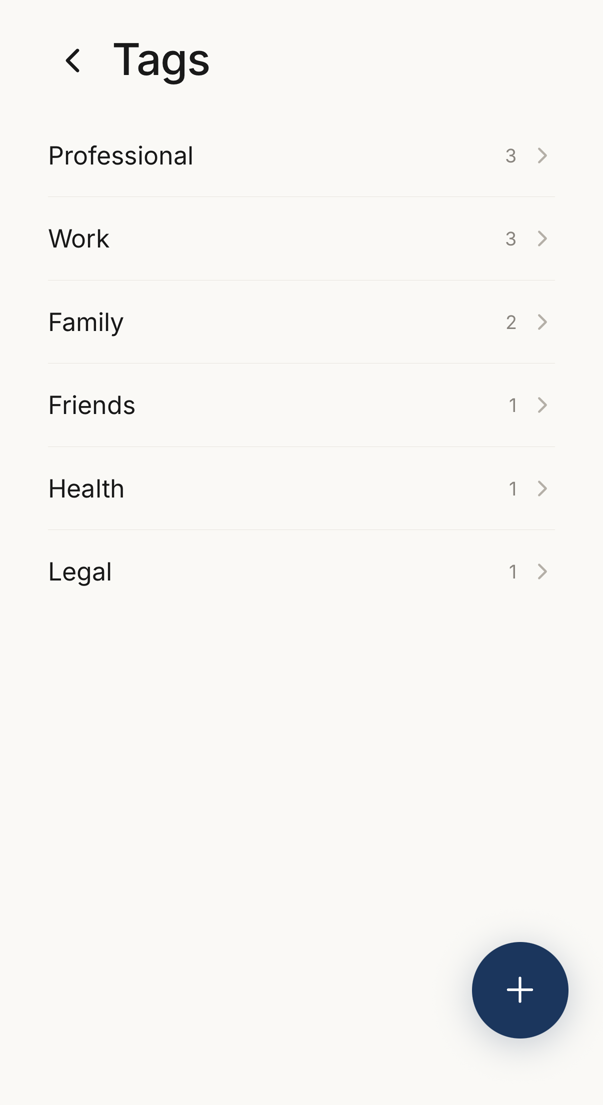 1
1- 1Your tags, with the number of connections that carry each one. Tap a tag to see them.
Tags are labels you put on your connections, such as “Work”, “Family”, “Vendors” or “Project X”.
Once a connection carries a tag, you can filter your Connections list by that tag to see only that group.
Tags are private. The people you tag never see them.
Creating and Using
Section titled “Creating and Using”To create a tag, open the tag sheet from a connection and enter a name. Rename or delete tags at the foot of that sheet opens the full list, where + also creates one.
To assign one, open a connection detail screen, scroll to Tags, and tap to add or remove.
To filter, use the tag filter button on your Connections list.