

Your Active Sessions
Where It Is
Section titled “Where It Is”Settings → Manage account → Devices and sessions. Manage account opens your account portal in a browser, already signed in, and you remove devices and end sessions there. If your account is on your organisation’s own server, Settings → Devices & sessions opens this screen in the app instead.
What This Shows
Section titled “What This Shows”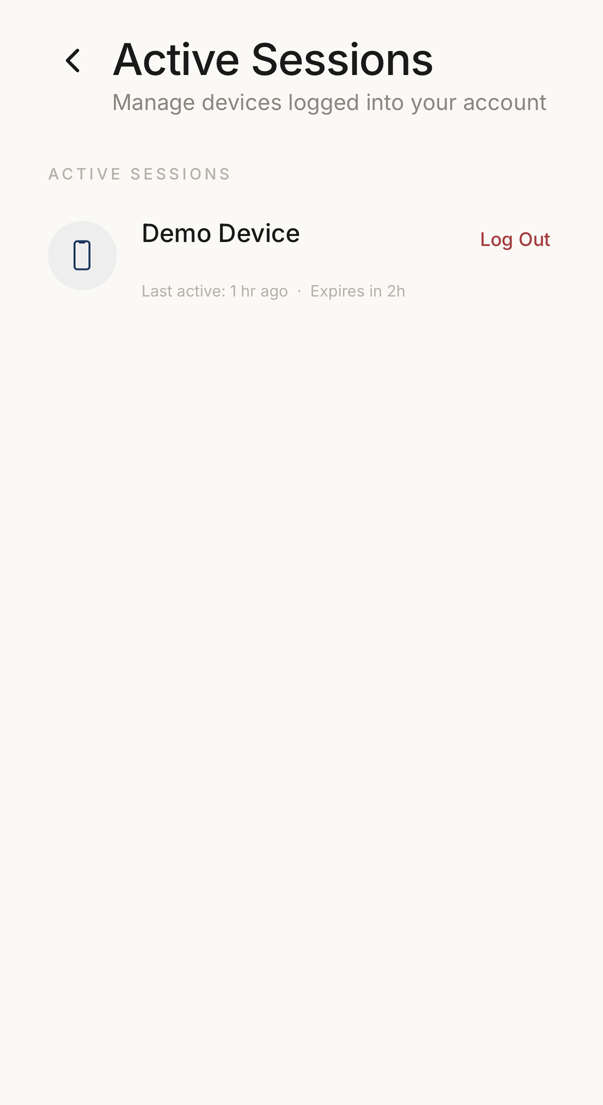 1
1- 1One signed-in device: its name, when it was last used, when the session expires, and the control that ends it.
Every device signed in to your account appears here with its type, its name and its last activity. The one you are holding carries a Current badge.
Read the list from time to time. A device you do not recognize means someone else may have access.
This list is part of some plans. Your plan or your administrator decides whether you see it.
Logging Out Devices
Section titled “Logging Out Devices”Tap Log Out on the row for the device you want to disconnect. That device is disconnected at once.
If you suspect that someone else reached your account, use Log Out All Other Devices, then turn on the app lock in Settings → Face ID & app lock. Sign-in here is passwordless, so unauthorized access usually means someone had access to your email. Secure that too.