

Face ID & App Lock
Where It Is
Section titled “Where It Is”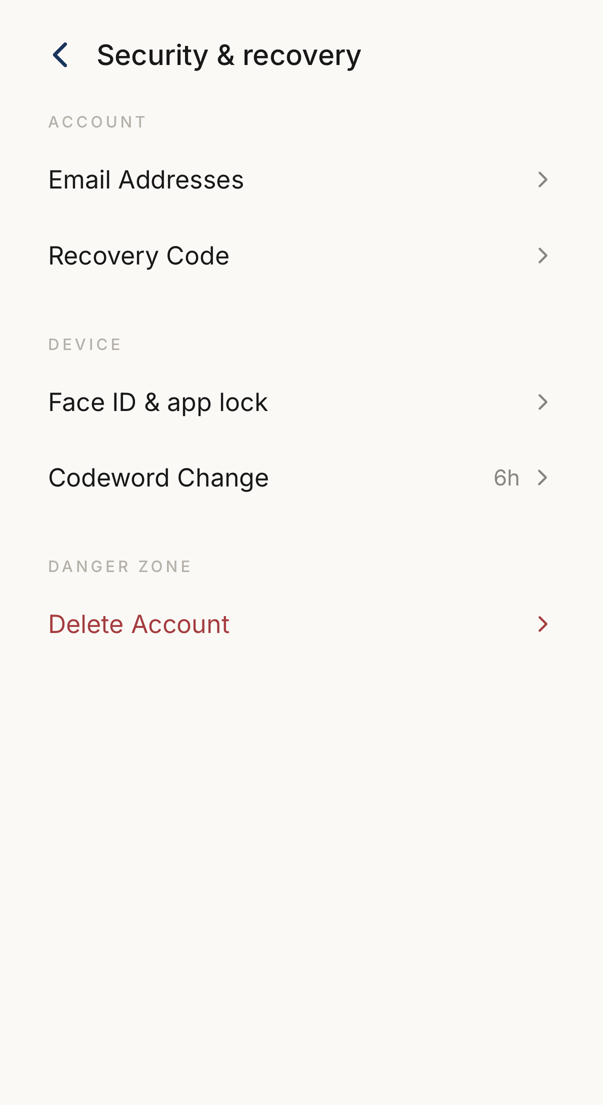 123
123- 1Your email addresses and your recovery code.
- 2Face ID and the app lock, and how often the codewords change.
- 3Deleting the account, kept apart from the rest.
 12
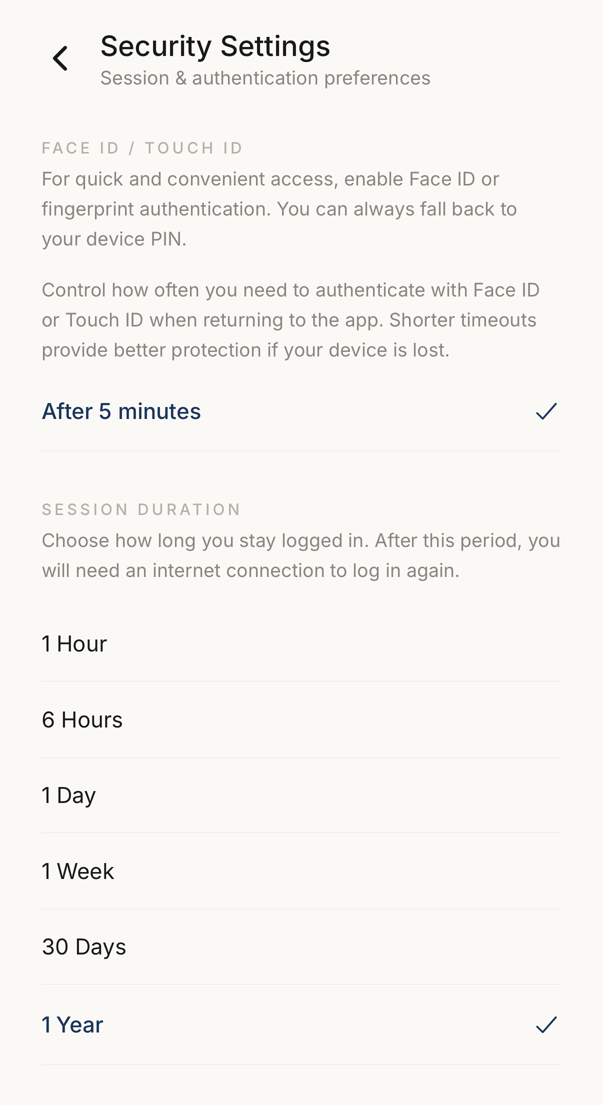
12- 1Whether the app asks for Face ID or a fingerprint, and after how long away.
- 2How long you stay signed in. After that a network connection is needed to sign in again.
Settings → Face ID & app lock, in the Device group.
The screen holds three settings, in this order: Face ID / Touch ID, Session Duration, and Device Authentication.
Session Duration
Section titled “Session Duration”How long the app waits before it signs you out for inactivity.
The options run from 1 Hour, the most protective, to No Limit, the most convenient. Your account sets which of them you may choose. In an organisation your administrator decides, and may hold everyone to a shorter maximum.
Device Authentication
Section titled “Device Authentication”How the app confirms it is you when you come back. Two modes are offered.
| Mode | What it accepts |
|---|---|
| Standard | Face ID or a fingerprint, with your device passcode as the fallback |
| Strict biometric | Biometrics only, with no passcode fallback |
This is separate from session duration: it guards the app in your hand, while session duration governs when the session itself ends. Your account sets which modes you may choose.
Face ID / Touch ID
Section titled “Face ID / Touch ID”How often the app repeats the check: immediately, after one minute, five, fifteen, an hour, or only when the app starts.
A short timeout is the right choice on a phone other people handle.