

Export Your Data
What This Does
Section titled “What This Does”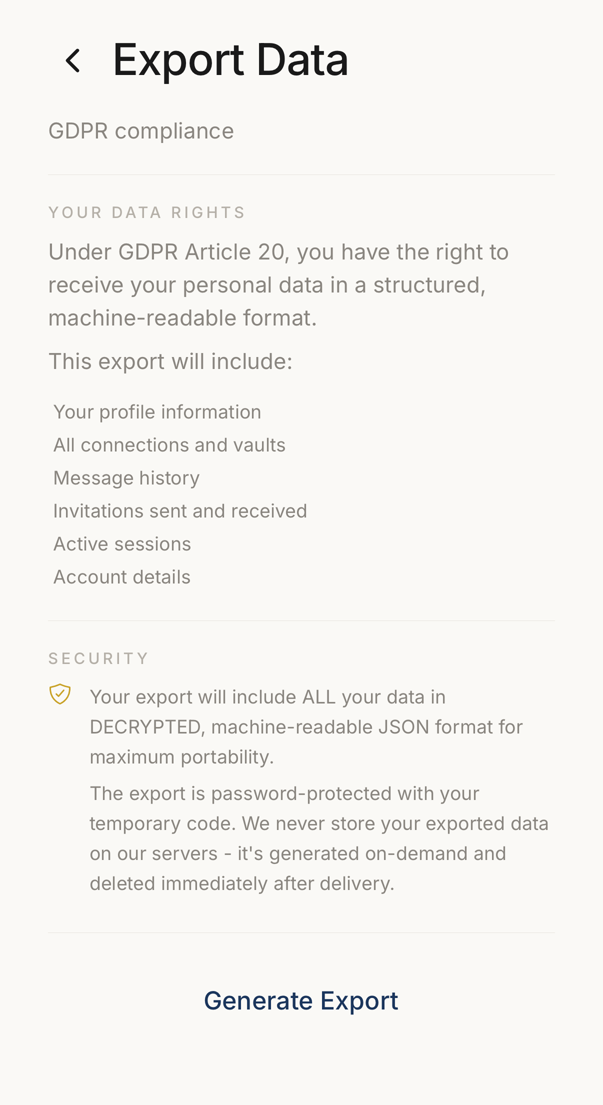 12
12- 1Everything the file will contain, listed before you ask for it.
- 2Starts the export. It is built when you ask and deleted after it is delivered.
The export gives you a complete copy of everything we store about you: your profile, your email addresses, your connections and their settings, your invitations, your notifications and the preferences behind them, your sessions, your devices, your favourites and your tags.
Your sign-in authenticates the download, so the file carries no password and we email you no link.
Privacy law gives you the right to this copy.
How to Export
Section titled “How to Export”Tap Manage account in Settings. The app opens your account portal in the browser. Choose Export Data there. If your account is on your organisation’s own server, Settings → Export Data opens this screen in the app instead.
Tap Request Data Export. Once the file is ready it appears under Available Downloads, where you tap Download. A notification also tells you when it is ready.
The file stays available for 24 hours.