

Delete Your Account
Where It Is
Section titled “Where It Is”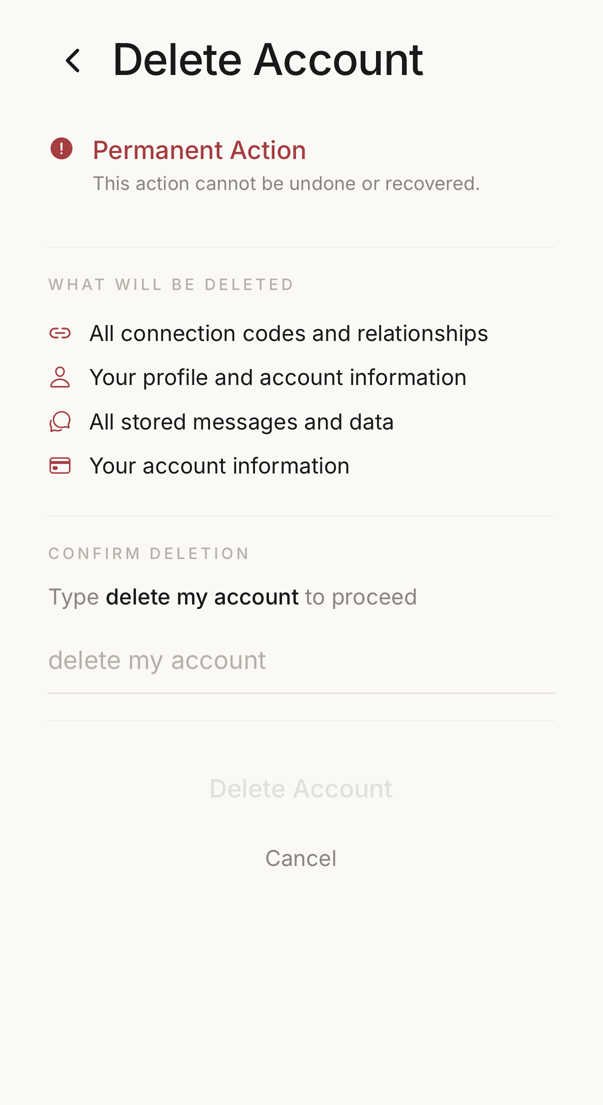 12
12- 1What deletion removes: your codes, your connections, your profile and your messages.
- 2The field where you type the sentence. The button stays inactive until it matches.
Settings → Security & recovery → Danger zone → Delete account.
It sits there deliberately, and not on the main settings list next to Sign out.
What Deletion Means
Section titled “What Deletion Means”Deletion is permanent and you cannot undo it. It erases your profile, your membership of other people’s connections, your devices, your invitations and your history.
A connection you own passes to another member if anyone else is in it, and that person becomes its owner. If you were the only member, the connection is deleted. Everyone in a connection with you is told that the account was deleted.
The app refuses deletion while you still own an organisation that has active members or customer verification pages. Hand those over first.
You may create a new account with the same address later. It starts from nothing: a new trust score and no connections.
If you only want to stop using this device, sign out instead.
How to Delete
Section titled “How to Delete”Type “delete my account”, tap Delete Account, and confirm once more. Erasure follows immediately.
Export your data first if you may want it.