

Connection Presets
Where It Is
Section titled “Where It Is”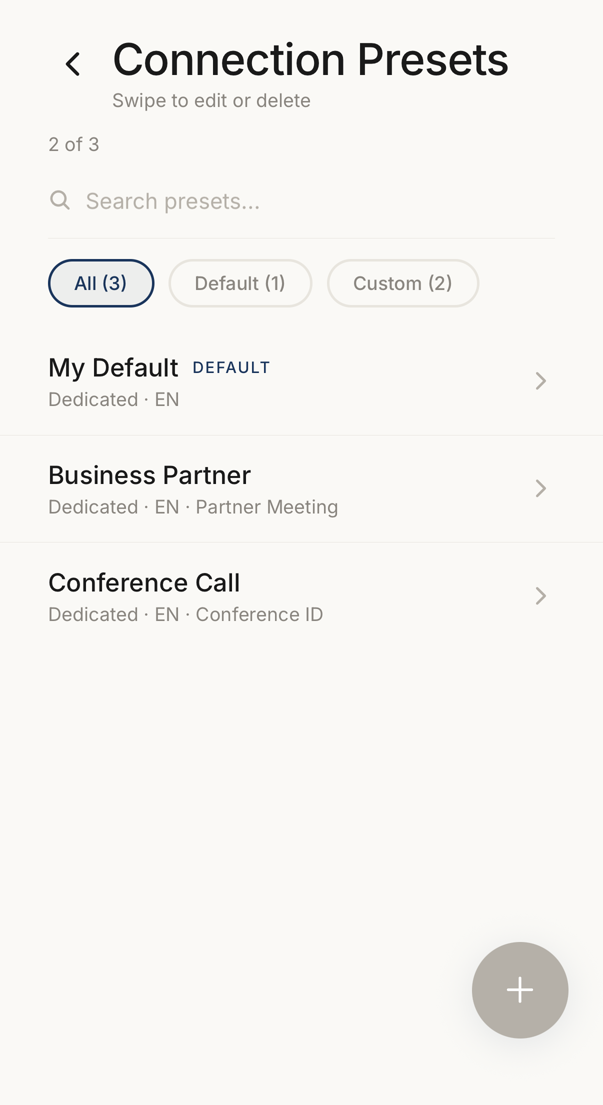 12
12- 1All your presets, the default one, and the ones you made.
- 2One preset per row, with the code mode and the language it applies.
Open it from the preset picker when you create a connection: tap Connection Presets. Your personal page reaches the same list.
New Preset creates one, and tapping a row edits it. Swipe a row for edit and delete.
What a Preset Holds
Section titled “What a Preset Holds”Preset Name is what you call the preset. Default Connection Name and Default Description are what a new connection starts with.
The default name may carry a date. It supports {{date}}, {{date_short}},
{{week}} and {{month}}, which are filled in at the moment the connection is
made.
The Same Settings
Section titled “The Same Settings”Below that is the same More Settings block the New Connection screen uses: Favorite, Tags, Code Mode, Code Language, Instant Add, Require Biometric, Code Rotation and Auto-delete.
It is the same block on purpose. What you set here is what a connection made from this preset starts with.
From an Existing Connection
Section titled “From an Existing Connection”A connection you already have can become a preset: Save settings as template in its ⋯ menu, or Save as template on the sheet after you create one. The preset takes the connection’s settings, not its members, its name or its description. It appears in this list at once, also offline, and reaches the server when you are online.
System, Default and Custom
Section titled “System, Default and Custom”The list separates Default and Custom, and a preset that came with the app is marked System.
A line says how many of your presets are used. When it is full, delete one to make room.