

Promo Codes
Who Sees It
Section titled “Who Sees It”Promo codes is offered to a member whose role may manage customers, in an organisation whose plan allows sponsoring somebody.
The allowance is what decides it. A plan that may sponsor nobody hides the entry, because there would be nothing to create. A plan with no stated limit sponsors without one, and the entry appears.
Personal accounts do not see it. Sponsoring is something an organisation does.
Where It Is
Section titled “Where It Is”Under People & partners in the menu.
What a Sponsorship Code Is
Section titled “What a Sponsorship Code Is”The page heading is Sponsorship Codes, and that is the more accurate name.
A code is a string somebody else redeems. When they do, they receive a subscription that your organisation pays for, for as long as the code grants it.
The case for it is an organisation that wants the people it works with to hold accounts without asking them to buy one: customers, members, partners, event attendees.
What It Shows
Section titled “What It Shows”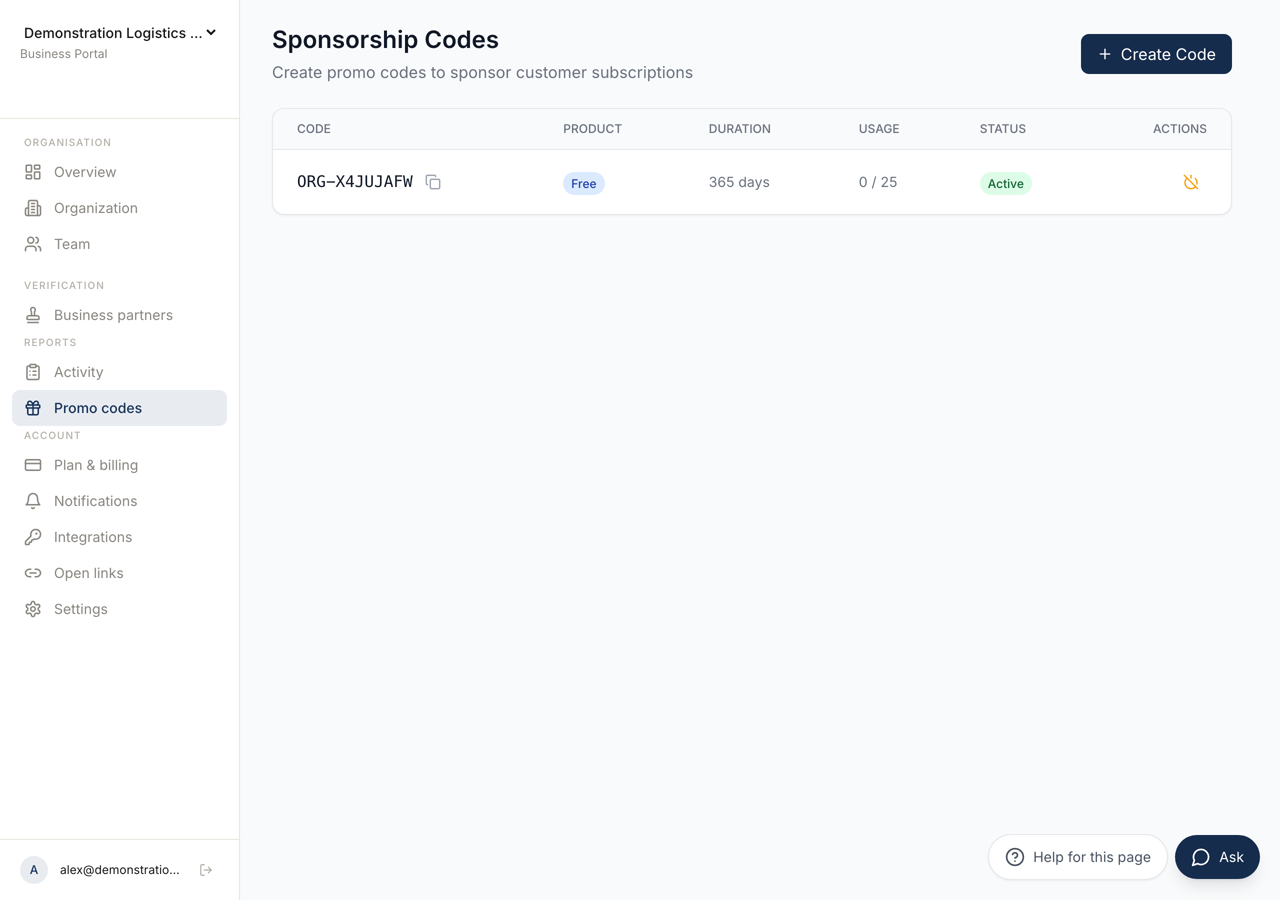 12
12- 1Opens the form for a new code. Leaving the code itself empty generates one.
- 2Each code with what it grants, how long it lasts, and how often it has been redeemed.
A table with the columns Code, Product, Duration, Usage, Status and Actions.
Usage shows how many times the code has been redeemed and how many of those are still active. Status is Active or Inactive.
With nothing created it says No sponsorship codes yet and Create a code to sponsor customer subscriptions.
Creating One
Section titled “Creating One”Create Code opens Create Sponsorship Code, which states what it does: customers who redeem this code will receive a sponsored subscription.
Code is optional, and leaving it empty generates one. Set it yourself when the code has to be readable aloud or printed.
Grants Product chooses which subscription the code gives. The list is what your organisation is permitted to grant, not everything that exists.
Duration (days) is how long the sponsored subscription lasts for each person who redeems it. The form shows no ceiling and the server holds one: 366 days. A larger number is brought down to it rather than refused, so a code meant to last two years lasts one.
Max Uses is optional, and leaving it empty does not mean unlimited: the server sets it to the sponsoring allowance your organisation has left. Setting a number lower than that is worth doing when you are handing the code to a known group and do not want it forwarded beyond them. A number higher than the allowance is brought back down to it.
Expires on is when the code itself stops being redeemable, which is a different thing from how long the subscription lasts.
Turning One Off
Section titled “Turning One Off”Deactivate stops the code being redeemed. Activate allows it again.
Deactivating does not withdraw subscriptions already sponsored through it. It closes the door and leaves the people already inside alone. That is what makes it the safe response to a code that has been shared further than you intended.
Watching the Cost
Section titled “Watching the Cost”Sponsored subscriptions count against the allowance shown on Plan and Billing. A rule on Activity can warn you before the allowance runs out.