

Promotion Codes
Where It Is
Section titled “Where It Is”The redeem page is not in the menu. You reach it by the address we give you with
the code, at /redeem.
You have to be signed in. See Signing In.
Checking a Code
Section titled “Checking a Code”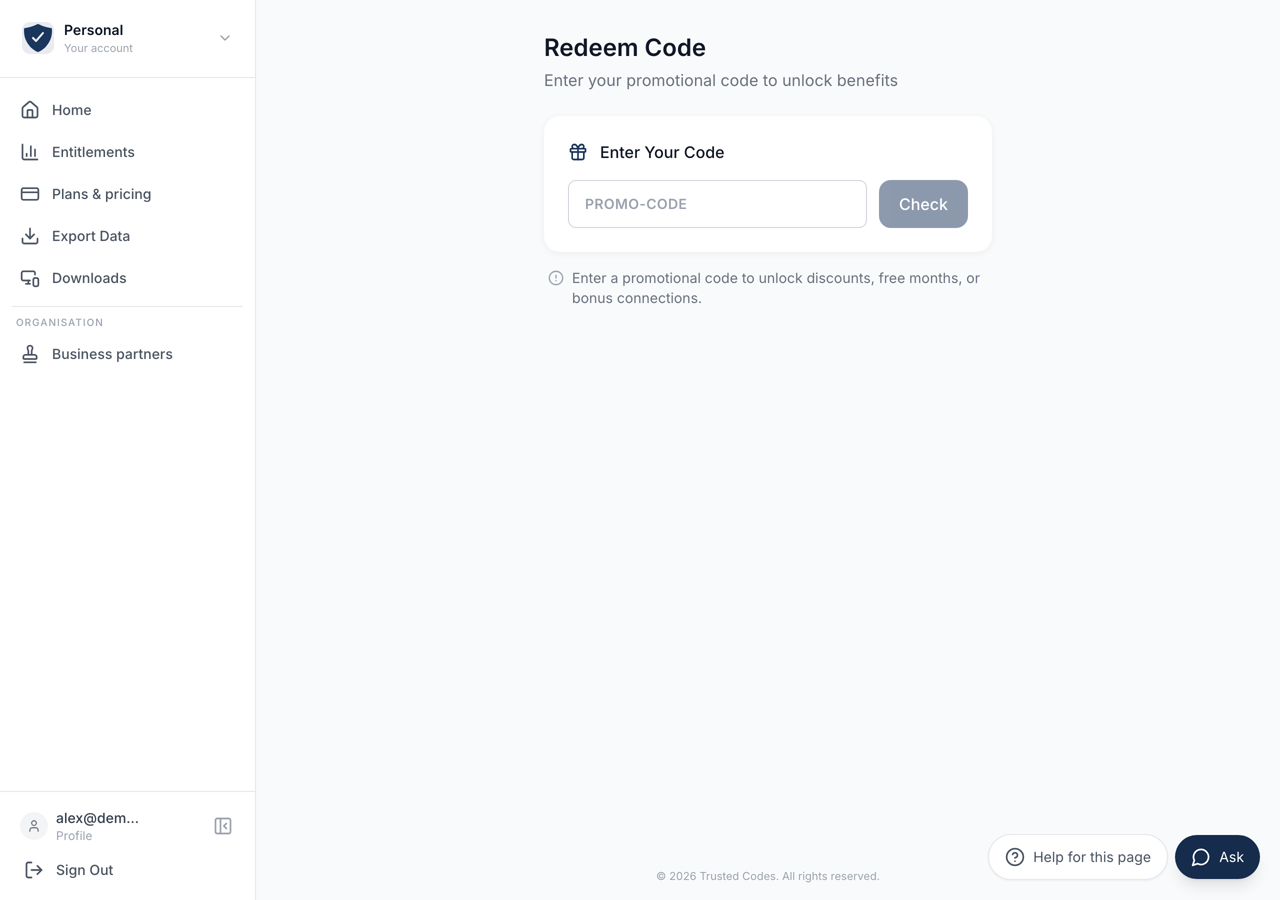 123
123- 1The code you were given. Capitals do not matter.
- 2Asks whether the code is real and still valid. Nothing is applied and nothing is spent.
- 3What a code can carry: a discount, free months, or extra connections.
Type the code into the field and press Check.
This only asks whether the code is real and still valid. Nothing is applied and nothing is spent. A code that is worn out or past its date comes back as “This code is invalid or has expired”.
Checking first exists so that you can see what a code is worth before you commit it to this account.
What a Code Can Carry
Section titled “What a Code Can Carry”A valid code shows a Code Benefits card. It carries one or more of three things:
A discount — a percentage off the subscription.
Free months — a number of months at no charge.
Bonus connections — extra connections added to your allowance.
If the code has an end date, the card shows it as Expires.
Applying It
Section titled “Applying It”Redeem Code applies the benefits to the account you are signed in as. The page then says Code Redeemed! and offers Back to Dashboard.
A code is applied to one account. Make sure you are signed in as the right one before you press it — see Your Account if you are not certain which account this is.
If It Will Not Redeem
Section titled “If It Will Not Redeem”A code that checked out and then refuses at Redeem Code shows the reason the server gave. Where there is no reason to give, the page says “Failed to redeem code. Please try again.”
A code is usually refused a second time for a reason the first check could not see: it has been used since, or it cannot be combined with what this account already holds.